


































+1 Speed Keyboard Lucky Escape is a fast-paced collecting and escape game built around a giant keyboard and valuable Brainrots. Start your run and collect valuable Brainrots to have more fun!
Launch Deeper Into the Keyboard
Head to the launch area and fire your Lucky Block across the keyboard. The distance it reaches determines the Brainrot classes you can encounter, so stronger launch power opens the path to more valuable discoveries.
As the block travels farther, the challenge becomes more intense. Higher zones bring tougher chase sequences, turning each successful collection into a race back toward the Safe Zone.
Build a Collection of 93 Brainrots
The keyboard contains 93 Brainrots to discover across multiple rarity classes. Common finds can gradually become stepping stones toward more valuable classes, while deeper zones hold rare targets such as Legendary, Mythic, Brainrot God, Secret, and the exclusive 67 Class. Bring your discoveries back to the base to generate income. Duplicate Brainrots can also be sold, while upgraded ones can produce greater value and help expand your progression.
+1 Speed Keeps the Chase Alive
Speed pickups scattered across the keyboard are essential during the return trip. Collecting them increases your movement speed, giving you more room to escape as the chase gets faster. The Speed upgrade system can increase each pickup from +1 up to +10 Speed. Investing in higher values lets your speed build up much faster during difficult runs.
Push the Range Market Further
Better Brainrots require greater launch distance. Spend your earnings at the Range Market to improve your Lucky Block's firing range and reach deeper sections of the keyboard. Range upgrades extend from 1x to 10x, gradually opening more valuable zones. Each improvement changes how far your next launch can travel and expands the collection possibilities available during a run. You can find similar gameplay in Escape Tsunami Brainrots Online.
Survive Tung Tung Sahur
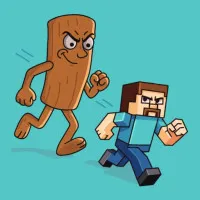
Once your Lucky Block reaches valuable territory, the journey back becomes the dangerous part. Tung Tung Sahur follows your progress and becomes increasingly fast in the deeper zones.
Keep moving across the keyboard, collect Speed bonuses, and reach the Safe Zone with your Brainrots before the chase catches you. Reaching the 67 Class introduces a special encounter featuring a giant 67 instead.
Use Tickets for Extra Power
Golden Tickets provide another way to improve your progress. Special events can increase your ticket earnings, while the Ticket Event gives you an additional reason to keep running across the keyboard.
Tickets can be spent on two additional weapons, market upgrades, and special opportunities to steal characters from rival bases. Save them for upgrades that match your current progression.
Three Events Change the Run
Special events can temporarily improve your earnings and launch potential:
- 2x Distance: Lucky Blocks travel twice as far, making higher Brainrot zones easier to reach.
- Ticket Event: Running across the keyboard provides extra Tickets.
- 2x Value: Speed bonuses receive a temporary value boost.
These events create useful windows for pushing deeper, collecting more, and improving your base.
Upgrade the Base and Rebirth
Your Safe Zone becomes the center of long-term progression. Earn money from secured Brainrots, add extra floors up to three floors, and upgrade Brainrots to increase their value.
The Rebirth system provides another progression layer, giving permanent bonuses after resetting your current progress. Rebirth becomes especially useful once your existing upgrades begin to slow down.
Unlock New Looks and Weapons
Money earned from Brainrots can also be spent at the Customization Market to change your character's appearance. Tickets unlock additional weapons that give your runs more options.
With base upgrades, range improvements, Speed bonuses, weapons, and character customization working together, each successful trip across the keyboard contributes to a larger collection and stronger setup.
Play Together on One Keyboard
+1 Speed Keyboard Lucky Escape supports local 2 Player mode, allowing two players to share the same giant keyboard. Player 1 uses WASD while Player 2 uses the Arrow Keys, with separate buttons for jumping, speeding up, interacting, upgrading Brainrots, and opening the Rebirth menu.
Control in +1 Speed Keyboard Lucky Escape
Player 1
- W, A, S, D: Move
- Space: Jump
- Left Shift: Speed Up
- Tab / E: Launch Lucky Brainrot
- E: Interact
- Q: Upgrade Brainrot
- T: Open Rebirth Menu
Player 2
- Arrow Keys: Move
- L: Jump
- K: Speed Up
- U: Launch Lucky Brainrot
- O: Interact
- U: Upgrade Brainrot
- Y: Open Rebirth Menu
FAQ
How do I find rarer Brainrots in +1 Speed Keyboard Lucky Escape?
Upgrade your launch range so the Lucky Block can travel farther into the keyboard. Deeper zones contain higher Brainrot classes, including Mythic, Secret, and 67 Class.
How does the +1 Speed system work?
Speed pickups increase your running speed during an escape. Their value can be upgraded from +1 to +10, allowing each pickup to contribute more speed.
What happens when I reach the 67 Class?
The 67 Class contains 7 unique Brainrot variants. Reaching this zone triggers a special chase where a giant 67 replaces Tung Tung Sahur as the pursuer.
What can I spend Tickets on?
Tickets can be used for market upgrades, two additional weapons, and special opportunities to steal characters from other bases. Special events can also provide extra Tickets.
Make Every Launch Count
A better launch opens a deeper zone, a deeper zone brings rarer Brainrots, and a successful escape turns those discoveries into stronger upgrades. Keep expanding your collection, improve your range, and push the giant keyboard further with every run. Play +1 Speed Keyboard Lucky Escape and start your next launch!

Running Games
view more